-
Microsoft 365 Teams: Using Other Communication Tools
$99.00Use chat Make audio and video calls Use the Teams calendar to manage meetings Manage files -
Microsoft 365 Teams: Customizing Your Teams Experience
$99.00Manage your Teams profile Manage teams Add bots and apps to Teams -
Microsoft Word Online: Working with Images
$99.00In this course you will learn how to insert images, resize images, and adjust image appearance. -
Microsoft 365 Word: Part 3: Adding Reference Marks and Notes
$99.00Add captions to objects Insert cross-references Add bookmarks and hyperlinks Insert footnotes and endnotes Add citations Insert a bibliography -
Microsoft 365 Excel: Part 2: Visualizing Data with Charts
$99.00Create charts Modify and format existing charts Create a trendline Create advanced charts -
Using Activities to Make Training Fun
$99.00In this course, you will explore different types of games, including icebreakers, energizers, simulations, and case studies. You will also learn how to get buy-in, deal with reluctant participants, troubleshoot games, and create your own games. To top things off, we will give you four activities that you can customize and re-use in your own training sessions. -
Microsoft Sway: Working with Text and Images
$99.00In this course you will learn how to format text, and add media to a Sway project. -
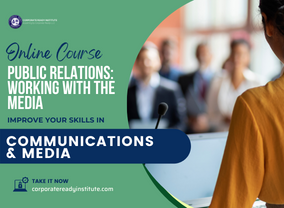
Public Relations: Working with the Media
$60.00You are going to have a good grasp of the interview process when you are done with this course, from the perspective of a regular citizen or as a professional spokesperson. In addition to speaking to the media, you're going to learn how to pass your message along via a press release or media package. Libel and slander will come under consideration as well as various types of media outlets and the concept of a professional relationship with the media versus a personal one.